In final testing · Launching Q4 2026
Your household,
finally in sync.
Rosy Home puts your groceries and chores in one shared place. Everyone sees the same list, the same schedule, and the same answer to “did anyone already do this?”
Launch news only. We delete the whole list at launch.
Two things, done properly
We are not trying to run your whole life. Groceries and chores are the two things households actually argue about — so that is what we built.
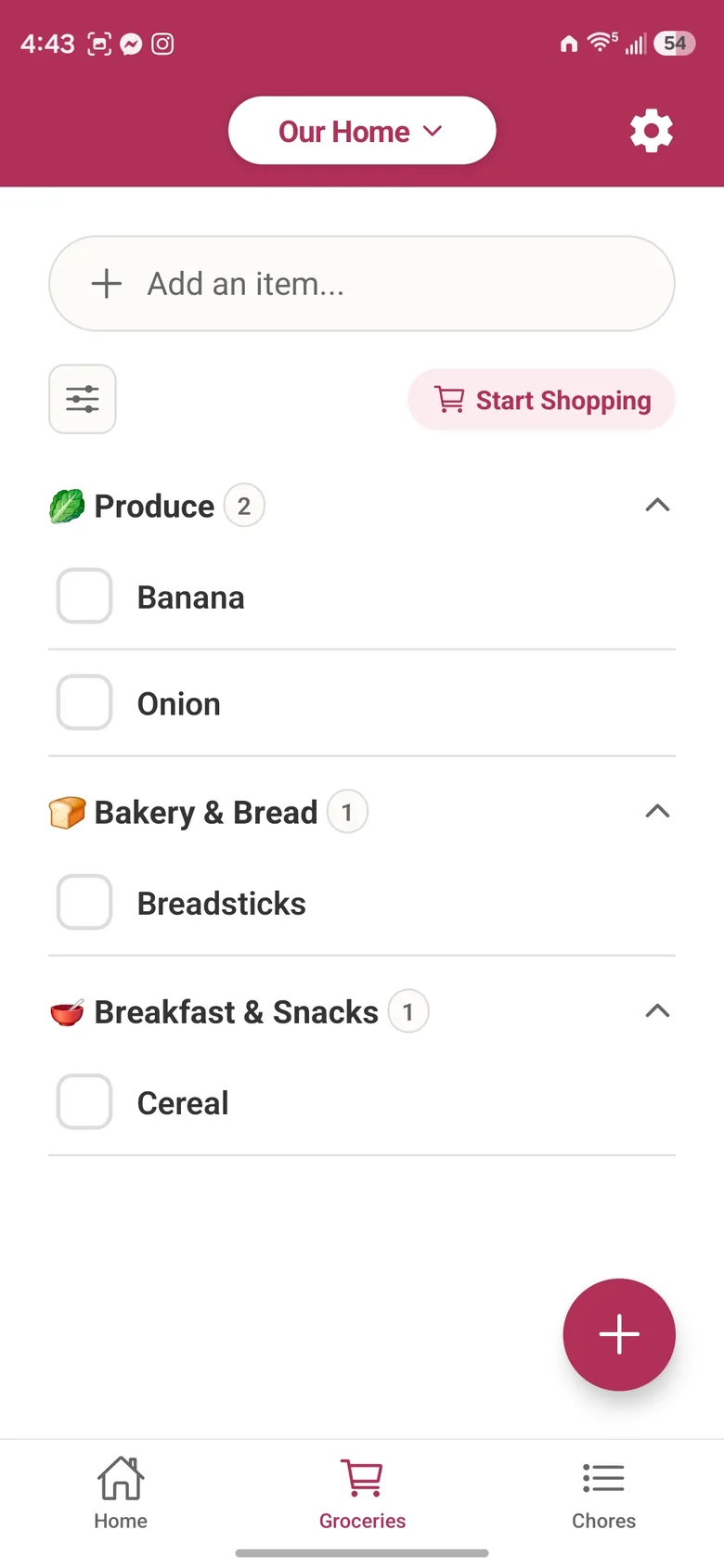
One grocery list, updated live
One list for the whole household that updates instantly on everyone's phone. Items sort into 20 store-aisle categories, cold items last, and re-adding an item brings it back with its details instead of making a duplicate.
Shopping Mode for the store
A focused check-off view in aisle order. See what others check off, remove or add while you shop, and keep checking items off with weak or no signal; they sync when you're back online.
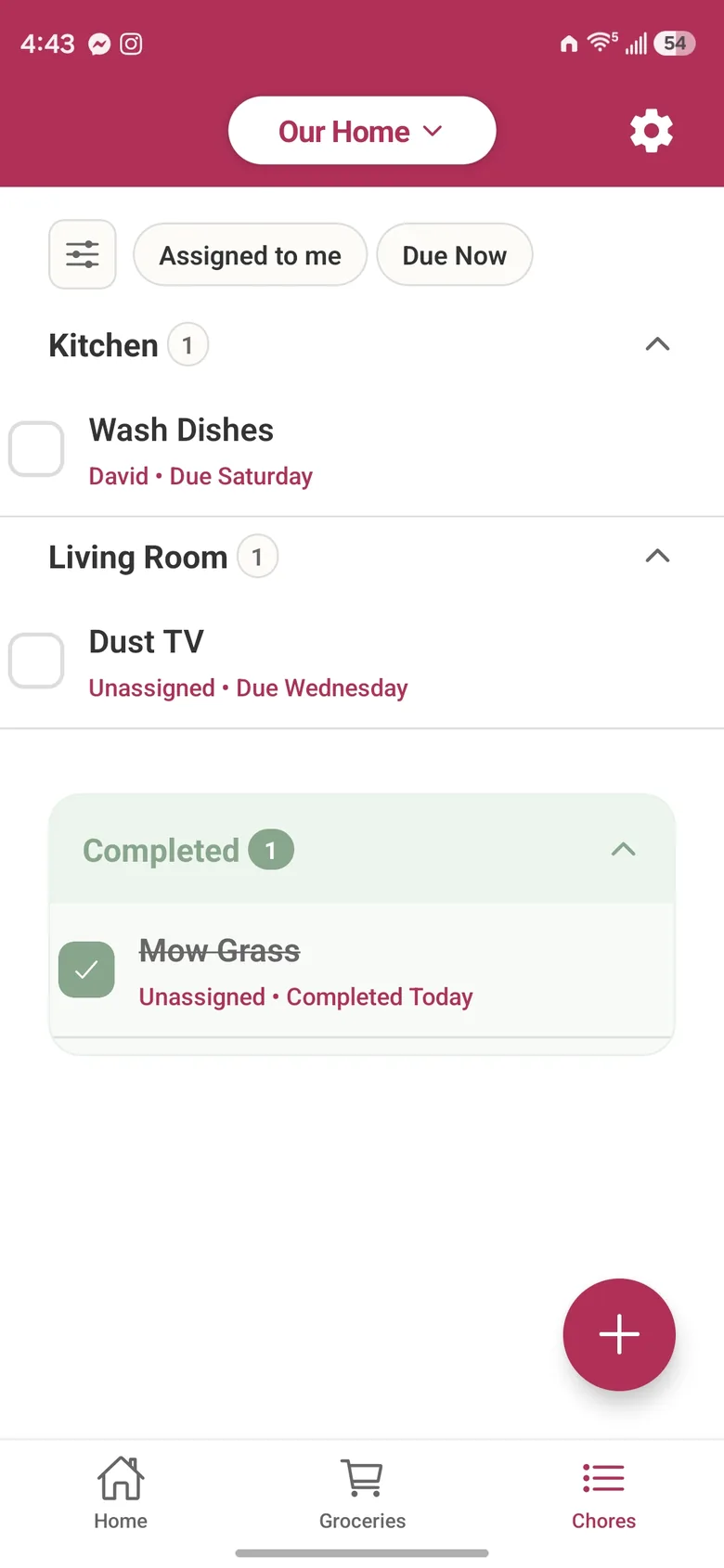
Chores that repeat, by room
Add chores with a due date and a room, and repeat them daily, weekly, monthly or every few days. Choose whether a chore repeats on schedule or counts from when it was actually done.
A fair share, without the arguing
Assign a chore to several people: they take turns, or share it so it stays on everyone's list until one of them does it. Each chore shows who last did it, when, and whose turn is next.
Reminders before things slip
Get reminded before a chore is due, at the times you pick. With more than one home, reminders say which home they are for.
One home screen, or several homes
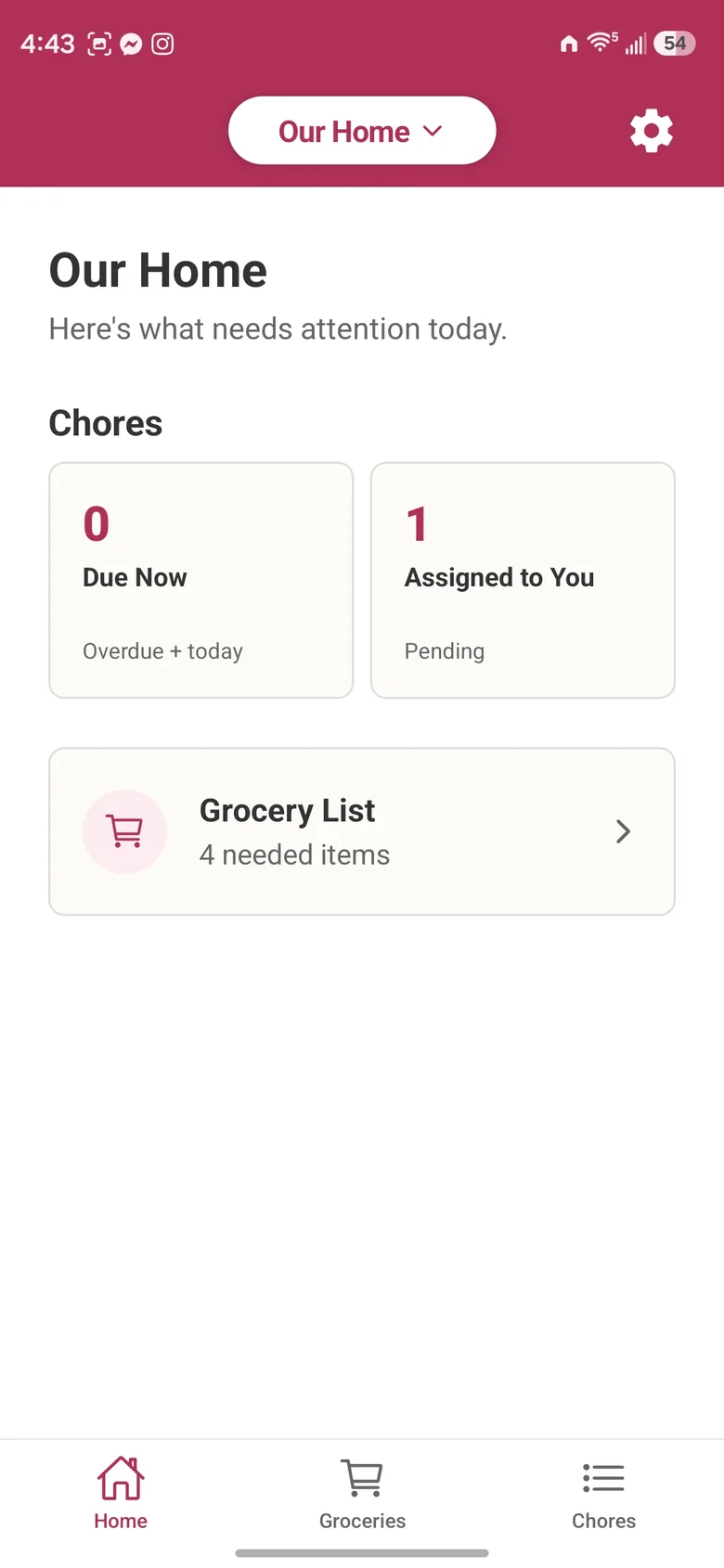
Opens to what needs attention today: overdue and due chores, plus the grocery list and staples. Belong to several homes, switch in a tap and pick a default.
A look inside
Getting started
- 1
Create your home
Sign up and name your household. Takes about thirty seconds.
- 2
Invite the others
Share your home’s invite code straight from the app. They join with the code and see everything you have already set up.
- 3
Stop repeating yourself
Lists stay in sync and chores show up where everyone can see them.
Questions
When does Rosy Home launch?
We are in the final testing phase now and planning to release on the App Store and Google Play in Q4 2026.
What does it cost?
The grocery list, Shopping Mode, chores, reminders and inviting your household are free. Premium is per home, so one subscription covers everyone in it: $29.99 a year or $3.99 a month. It adds the full activity history (who did what on every chore and grocery item, for the last 400 days) and a separate aisle order for each store you shop at, used when you shop by store. The first home you create gets a free 30-day trial of Premium, with no card needed. For the first 90 days after launch, a founding yearly plan is $19.99 a year, and stays at that price while you stay subscribed. When Premium ends, nothing is deleted.
Will it work on my phone?
Rosy Home runs on both iPhone and Android. We will publish the minimum OS versions with the store listings.
What do you do with my email?
We use it only to tell you when Rosy Home launches. We do not sell it or share it, and we delete the whole waitlist, your address included, at launch. To be removed sooner, email privacy@rosyhome.app.
Be there on day one
We are heads-down finishing the last round of testing. Leave your email and we will tell you the moment Rosy Home is in the stores. We delete the list at launch.